Best Types of Service Signs for Businesses in 2026

In 2026, service signs do more than identify a business. They help customers find the entrance, understand available services, and decide what to do next. A clear window decal, readable directory, or well-placed wayfinding sign can remove small points of friction. Those details matter. Customers may be in a hurry, unfamiliar with the building, or simply looking for one clear instruction.

The value of signage is supported by consumer research, though older findings should not be mistaken for a 2026 forecast. A 2012 FedEx Office survey reported that 76% of respondents had entered a store they had never visited because of its signs. It also found that 68% had purchased a product or service after a sign caught their attention. These figures are useful context, not a guarantee of results; the survey reflects its own sample and time period. Still, it points to a practical lesson: signs can influence both discovery and action.

The best types of service signs depend on where customers pause and what they need to know. Exterior signs establish visibility. Reception and directory signs guide visitors indoors. Safety, accessibility, and service-specific signs explain important steps in plain language. In the sections ahead, we’ll compare these formats by purpose, placement, readability, and upkeep. A polished sign is not always the right sign. A small, legible instruction beside the actual service point may help more than a large display across the room.
Best Types of Service Signs for Businesses in 2026

What Service Signs Are and How They Support Business Operations

Service signs are visual guides that explain what a business offers and how visitors can access it. They include directional signs, restroom and reception signs, pickup instructions, and notices about available services. At a clinic, a clear “Check in here” sign can help a first-time visitor find the front desk without interrupting staff. In a repair shop, a marked collection point can keep customers away from active work areas. Small details matter. Use familiar words, readable lettering, and strong contrast so people can understand a sign while walking past it.

These signs support daily operations by reducing repeated questions and helping staff manage customer flow. A sign near a doorway can direct deliveries to the right entrance, while a counter notice can explain where to wait. Placement is crucial. A useful message hidden behind a queue may not help anyone. Signs also need regular attention: service hours change, counters move, and temporary instructions can become outdated. Even a well-designed sign may confuse people if its wording is vague. Businesses can observe where visitors hesitate, then adjust the message or location based on what actually happens.

Core Types of Service Signs for Different Customer Needs

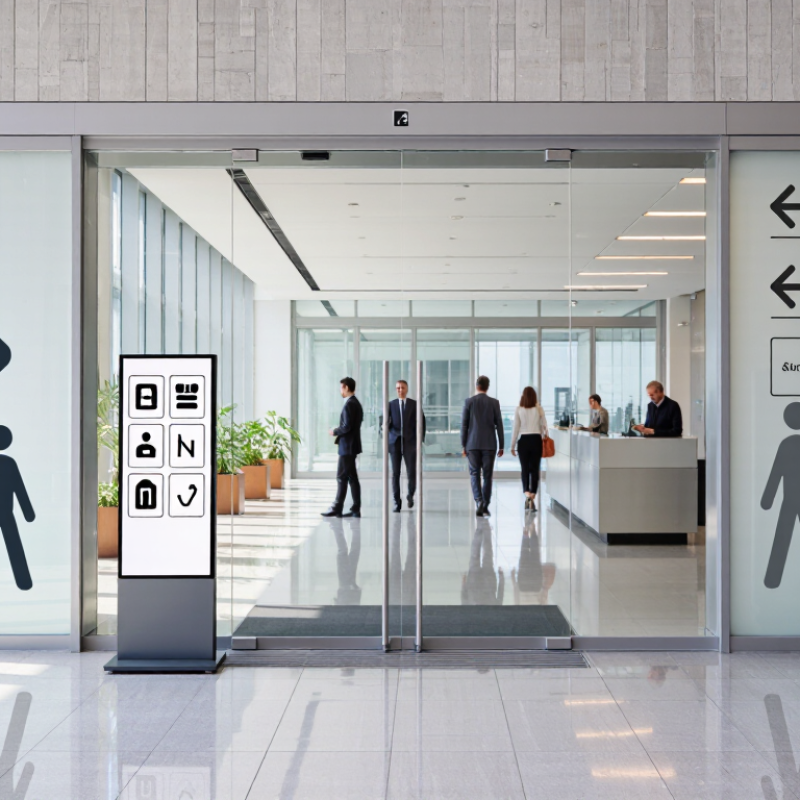
Customers need service signs that answer practical questions quickly. Wayfinding signs guide visitors from the entrance to check-in, fitting rooms, or service desks. At a clinic, clear arrows and room numbers can prevent people from wandering down the wrong corridor. Keep wording brief and place signs where decisions happen, not several steps afterward. Small details matter.

Informational signs explain services, prices, opening hours, or what customers should bring. Use readable type, strong contrast, and enough space around each message.

Queue and pickup signs show where to wait and where to collect an order; a simple “Wait here” beside a floor marker can ease a crowded counter.

Accessibility signs should be easy to see and understand, with clear symbols and uncluttered placement. Safety notices need direct language and a visible position near the relevant area.

A sign can look polished and still confuse people; that is easy to miss from behind the counter. Test each sign from a customer’s viewpoint, then ask someone unfamiliar with the space what they would do next. Their hesitation may reveal a problem the design team overlooked.

How to Match Service Signs to Your Business and Location

A service sign should answer the question a customer has at that moment: What do you offer, and where do I go? For a street-facing shop, a projecting sign can catch the eye of people walking along the sidewalk. Window lettering works at closer range, where customers can read opening hours or a short list of services. In a shared building, clear directional signs at the entrance and hallway turns help visitors find the right door.

Look at the site before choosing the format. A sign facing strong afternoon sun needs readable contrast and materials suited to exposure. For a busy parking area, place directional signs where drivers can see them before turning, not after they have passed the entrance. Indoors, a reception sign or small counter display may be enough. Check it at dusk. Lighting can change what seems legible during the day.

Walk the customer’s route and note where they hesitate. A long service list may feel comprehensive, but it can be hard to scan from a doorway. Highlight a few core services, then use plain wording customers already understand. It is easy to overdesign. Staff can help identify questions visitors repeatedly ask, though one person’s guess about what is confusing may be wrong. Recheck the sign after services, entrances, or customer traffic patterns change.

Best Types of Service Signs for Businesses in 2026

Match the sign type to where customers need to notice it and how far away they are.

Approximate planning distances in feet, not universal standards or code requirements. Actual visibility depends on sign size, lighting, viewing speed, and site conditions.

Design, Accessibility, and Placement Standards for Effective Signs

Effective service signs make essential information easy to notice and understand. Use a clear heading, familiar symbols, and strong contrast, such as dark lettering on a light background. Keep wording brief and choose a simple typeface that remains readable from the expected viewing distance. Small text may fit more details, but it often becomes difficult to read in a busy lobby. Add tactile characters or Braille where applicable, and check local accessibility requirements for each sign type. A neat layout helps, though real spaces can make even a carefully designed sign feel crowded.

Placement matters as much as design. Position signs near the point where people need to decide, such as a corridor junction or service counter. Mount them where seated and standing visitors can see them, without blocking doorways, routes, or other signs. Check visibility from the entrance and in typical lighting; glare from a glass door can hide otherwise clear text. Walk the route as a first-time visitor would. You may spot confusing gaps that a floor plan misses.

Tips: Print a full-size draft and view it from several steps away. Ask someone unfamiliar with the space to find the service using only the signs. If they pause, revise the wording or placement. Real-world checks are imperfect, but useful.

Emerging Service Sign Features to Consider in 2026

Best Types of Service Signs for Businesses in 2026

Emerging Service Sign Features to Consider in 2026

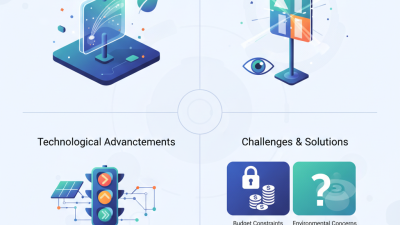
Service signs in 2026 are becoming more responsive, not merely brighter. Compact digital displays can update opening hours, queue directions, or service availability without replacing the whole sign. They work well near reception desks and pickup counters, where details change often. For permanent directions, a printed sign may still be easier to read. That distinction matters. A screen with glare can be less useful than a simple, high-contrast panel.

Tips: Test signs from the customer’s actual viewing distance. Check readability in daylight and after dark. Keep QR codes large enough to scan, and pair them with a short printed instruction. A code alone is not guidance.

Other useful features include modular panels, energy-efficient lighting, and tactile lettering for customers who benefit from touch-based cues. QR codes can link to current service details, but the destination should load quickly and work on a small phone screen. Avoid crowding signs with icons, animations, and tiny text. More features do not always mean better service. I’d also plan for upkeep: digital displays need power and occasional checks, and even well-designed signs can confuse people if staff use different terms. Test a draft with a few customers before ordering several copies.